
6 min read
Refresh rate and gaming: 60 Hz, 120 Hz, VRR and ALLM explained
Refresh rate, VRR and ALLM shape how smooth and responsive a TV feels for gaming. Here is what each term means and which settings matter most.
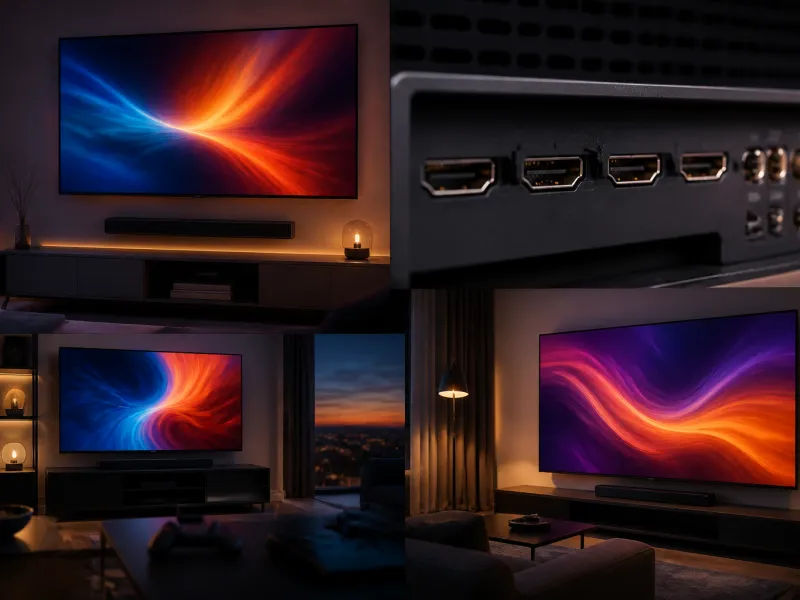
Refresh rate is one of the specifications that matters most for gaming, and it appears alongside resolution and HDR on most modern television listings. It affects how smoothly motion appears on screen, and combined with a few related features, how responsive the television feels when you are actually playing rather than just watching.
This guide covers what refresh rate means, the practical difference between 60 Hz and 120 Hz, what VRR and ALLM do, why input lag matters, and how motion smoothing and game mode affect the picture.
01
What refresh rate means
Refresh rate, measured in hertz, describes how many times per second a television redraws the image on screen. A 60 Hz television refreshes the picture 60 times per second, while a 120 Hz television refreshes it 120 times per second. See our refresh rate glossary entry for the underlying technical detail.
A higher refresh rate on its own does not create new information, it simply allows the screen to update more often. Its benefit becomes clear once there is a source, such as a game or certain video content, that can actually supply a matching number of distinct frames per second.
 Matching productProjector screenAmazon →
02
60 Hz versus 120 Hz in practice
For most broadcast television, streaming video and film content, which is typically produced at 24, 25, 30 or 50 frames per second, a 60 Hz screen is generally sufficient, since the panel refreshes faster than the source material changes. The benefit of a 120 Hz panel becomes most apparent with fast moving content that is actually delivered at a high frame rate, most commonly video games running at up to 120 frames per second on capable hardware.
A 120 Hz television paired with a source capable of 120 frames per second produces noticeably smoother motion during fast action, such as quick camera movements or fast paced competitive games, with less blur and a more fluid feel. This benefit depends on the whole chain, the game or content, the console or PC, the cable and the television, all supporting the higher frame rate together.
 Matching product120 Hz gaming TVAmazon →
03
Input lag and why it matters
Input lag is the delay between an action on a controller or keyboard and that action appearing on screen. See our input lag glossary entry for more detail. Even a delay of a fraction of a second can be noticeable in fast paced or competitive games, where precise timing matters, while it is largely irrelevant for watching films or casual, slower paced content.
Input lag is influenced by several factors together: the television's own processing, whether game mode is active, the refresh rate, and the responsiveness of the console, PC or controller itself. Televisions generally publish or are independently measured for their input lag in game mode, and lower figures indicate a more responsive feel.
04
VRR: variable refresh rate
VRR, or variable refresh rate, allows the television's refresh rate to synchronise dynamically with the frame rate being output by a connected console or PC, rather than staying fixed. See the VRR glossary entry for a fuller explanation. Without VRR, if a game's frame rate fluctuates and does not line up exactly with the television's fixed refresh rate, the result can be visible tearing, where part of one frame and part of the next appear on screen at the same time, or stuttering.
With VRR enabled, the television adjusts to match the incoming frame rate more closely, which reduces tearing and stuttering, particularly in games where frame rate varies depending on how demanding a given scene is. VRR requires support from the television, the source device and, for the full range of frame rates, a suitable HDMI connection.
05
ALLM: auto low latency mode
ALLM, or auto low latency mode, allows a connected device, typically a games console, to automatically tell the television to switch into its lowest latency picture mode, usually called game mode, when a game starts, and to switch back to the television's normal picture settings when you return to a film, app or broadcast content. See the ALLM glossary entry for details.
Without ALLM, switching between watching and gaming usually means manually changing the television's picture mode each time, which is easy to forget. ALLM removes that extra step, so the television automatically prioritises responsiveness during gaming and picture processing during other viewing, without you needing to dig into a settings menu each time.
06
Motion smoothing and why to turn it off for gaming
Motion smoothing, also called interpolation, is a picture processing feature that generates extra frames between the ones actually supplied by the source, aiming to make motion look smoother, particularly on film content originally shot at a lower frame rate. See our motion smoothing glossary entry. It is often marketed under different names depending on the manufacturer.
While some viewers like the smoother look motion smoothing gives to film and broadcast content, it also adds processing delay, since the television needs time to calculate the extra frames. For gaming, this delay works directly against the responsiveness that a low input lag setup is trying to achieve, so motion smoothing is almost always disabled automatically, or should be manually disabled, when using game mode.
07
What game mode actually changes
Game mode is a picture preset that prioritises low input lag and responsiveness over some of the picture processing features that are more useful for film and broadcast viewing, such as motion smoothing and certain sharpening or noise reduction steps. Turning these processing steps off reduces the time the television spends analysing and altering each frame before displaying it, which lowers input lag.
The trade-off is that some picture processing that can improve the look of lower quality or lower frame rate content is reduced or disabled in game mode, so the image may look slightly different, though this is rarely noticeable during active gameplay where responsiveness matters more than fine picture polish.
08
Comparing the key gaming features
| Feature | What it does | Why it matters |
|---|---|---|
| 120 Hz refresh rate | Refreshes the screen up to 120 times per second | Smoother motion with matching high frame rate sources |
| VRR | Synchronises the screen's refresh rate to the source's frame rate | Reduces tearing and stuttering with variable frame rates |
| ALLM | Automatically switches to game mode when gaming starts | Removes the need to change picture mode manually |
| Game mode | Reduces picture processing to lower input lag | More responsive, precise controls |
| Motion smoothing | Generates extra frames between source frames | Usually disabled for gaming due to added delay |
09
Getting the setup right
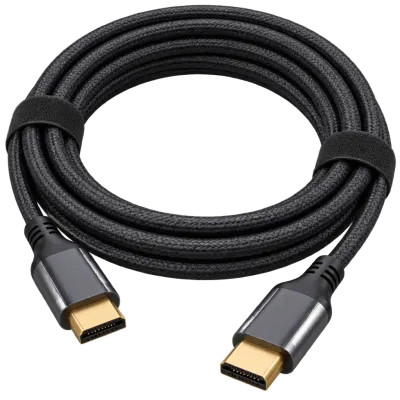
To take advantage of these features, you generally need a television that supports 120 Hz, VRR and ALLM, a source device capable of outputting at those same specifications, and the right cable and port, covered in our guide to HDMI 2.1. Connecting a capable console or PC to a television port that does not support the full bandwidth needed can silently limit you to a lower refresh rate or resolution than the hardware is actually capable of, so it is worth checking which of a television's HDMI ports support the full feature set. Our dedicated guide on televisions for gaming covers choosing a set with these priorities in mind.
 Matching productUltra High Speed HDMI cableAmazon →
10
Frequently asked questions
Is 120 Hz worth it if I do not play games
For film, broadcast and most streaming content, the benefit is limited, since that content is rarely produced at frame rates that need a 120 Hz panel to display smoothly. It matters most for gaming and for some fast moving sports broadcasts.
Does VRR work with all games
VRR needs to be supported by the television, the source device and the specific game or application, so support can vary. Most recent games consoles and many PC games and graphics cards support it.
Should I always leave game mode on
Game mode is designed for responsiveness during active gameplay. For film and broadcast viewing, the television's standard or dedicated film oriented picture modes, discussed in our picture settings guide, generally give a more polished image, so switching between modes, or relying on ALLM to do it automatically, gives the best result for each use.
Why does my TV feel laggy even in game mode
Check that the specific HDMI port in use supports the television's full feature set, since not every port on a television necessarily supports 120 Hz or VRR. Also confirm the source device and cable both support the required bandwidth, since a limited cable can bottleneck an otherwise capable setup.
 Matching productCable management kitAmazon →
Explore
Read next
 TV Panel Types Explained: LCD, QLED, Mini-LED, OLED and MoreAn overview of TV panel technologies, from LCD and QLED to OLED and Micro-LED, compared on blacks, brightness, viewing angle and burn-in ri…
 TV Buying Guide: How to Choose the Right TelevisionA practical, step by step guide that walks you through every decision in buying a television, from screen size to sound.
 TV Size Guide: Screen Sizes and Viewing DistanceA practical guide to translating screen diagonal into real dimensions and choosing the right size for your viewing distance and room.